Productivity

Drift Detection & Remediation

Brainboard is a control plane that detects discrepancies between your code, Terraform state, and the actual cloud environment before they become problems. Accurate drift detection, quick fixes, secure production. Start for free today!
a screenshot of a module being dragged to a containera screenshot of a terraform module being dragged into a container

Monitor any changes and get notified as soon as it happens

Drift starts imperceptibly. Someone manually corrected a security group in the AWS console. Someone made a hotfix directly in Azure, not through Terraform. Someone deleted a resource "temporarily" and forgot to restore it. Each such change is a discrepancy between what should be and what actually is. Over time, this turns into outages, security holes, uncontrolled cost growth, and audit failures. Model drift detection in Brainboard solves this problem with continuous monitoring: any change outside the approved process is recorded immediately.

Drift Detection Method. How It Works

Brainboard works in several steps:
Takes a snapshot of the design and current state
Queries providers directlyNormalizes data for comparison
Calculates diffs and classifies them by severity
The result is a human-readable report with direct links to specific resources and lines of code. Low noise is achieved through smart normalization: data drift detection does not trigger on technical artifacts and insignificant metadata. Only what is really important for stability, security, and compliance with standards. This is exactly how a drift detection method should work in a production environment.

Don’t miss any detail

Whatever happens to your cloud infrastructure, Brainboard can detect it.

Continuous monitoring

Control your cloud infrastructure by continuously monitoring it.
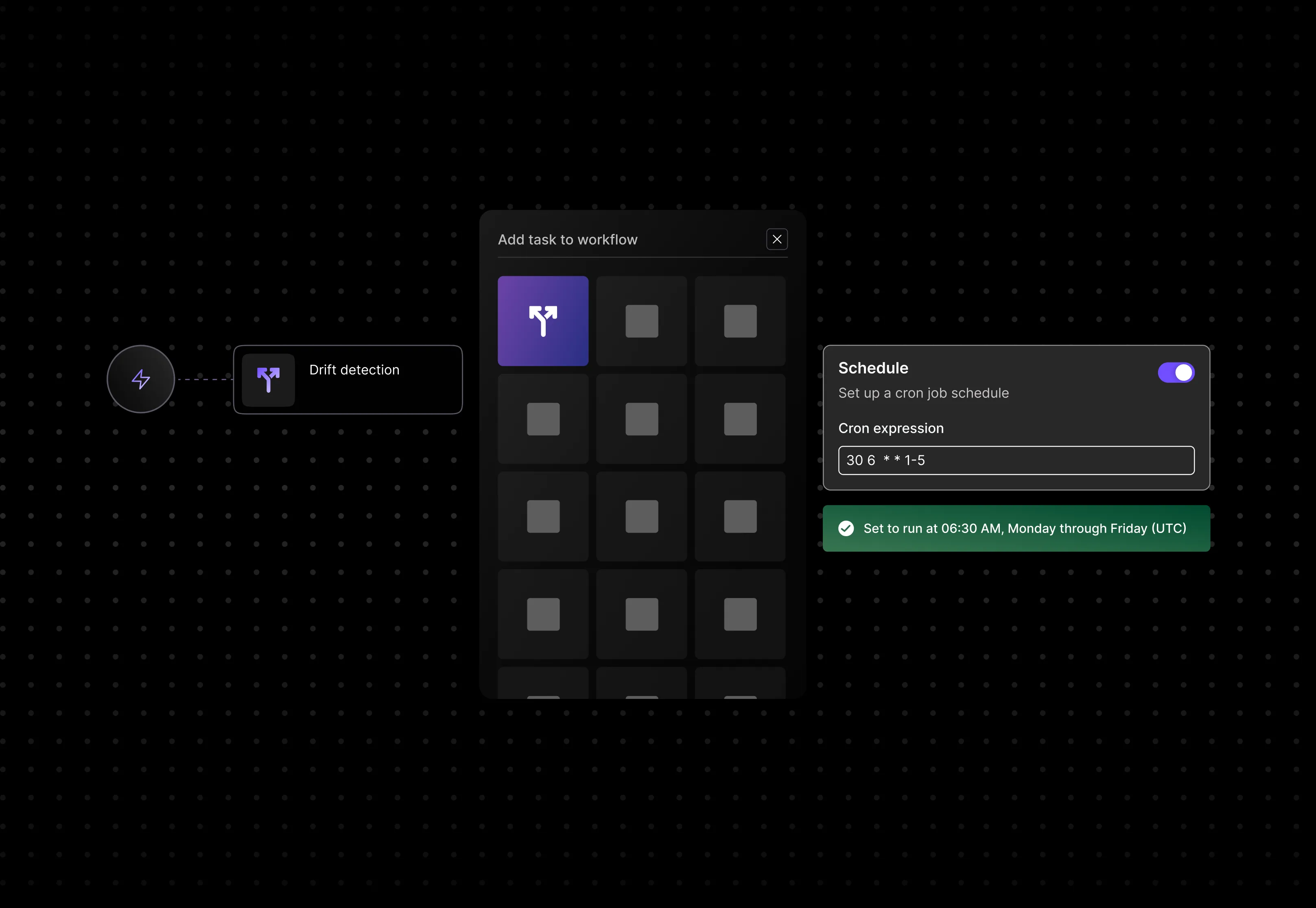
a mockup of brainboard's workflow optionsa mockup design of Brainboard's workflow scheduling options

Be proactive

Brainboard helps you before, during and after deployment.
a mockup showing azure resource manager console and the respective drift detection in Brainboard

Remediate

It’s about giving you the right weapons to maintain control.
cloud infrastructure designera diagram image showing the bi-direction connection between Brainboard and Azure Resource manager, Amazon web services, oracle cloud infrastructure and google cloud providers

Don’t miss any detail

Most tools say "something has changed." Brainboard tells you exactly what, where, how critical it is, and why it matters.Drift detection covers resources, configurations, tags, policies, and network settings. The platform compares three layers simultaneously: design → IaC code (Terraform/OpenTofu) → actual state at the provider. The result: accurate diffs with context, no noisy alerts without meaning.You see a specific line, a specific resource, and a specific discrepancy. That's the kind of accuracy you need to keep production under control - without unnecessary stress and lengthy investigations.

Brainboard logo

Continuous monitoring

Set up a schedule once, and Brainboard will handle the rest. Checks are run on a cron schedule or on demand for a specific environment or project. You choose the severity thresholds: what to consider critical and what to consider informational. Notifications are sent wherever is convenient - email, Slack, webhook.Terraform drift detection tools often require complex configuration and separate infrastructure, but in Brainboard, it's as simple as creating a workflow and choosing a schedule and environment. Fast feedback loops and predictable hygiene for your infrastructure - without constant manual control and unpleasant surprises on Monday morning.

terraform as diagram
Microsoft Azure portal showing drift-detection resource group with selected virtual network and a delete confirmation dialog; terminal output from Brainboard indicates Terraform drift detection failed due to missing virtual network resource.

Be Proactive Before, During, and After Deploy

Model drift detection works at all three stages of the infrastructure lifecycle:
Before deployment, you can see the potential drift risk and impact of changes on security policies - even before anything goes live.
During deployment, built-in gates check policy, security, and cost - and don't let anything that doesn't meet standards slip through.
After deployment, Brainboard automatically monitors out-of-band changes and flags any discrepancies immediately. Fewer surprises, safer rollouts, clean audit trails - at every stage.

terraform as diagram
Diagram showing bidirectional data flow between a central purple cloud icon and four cloud service logos: Google Cloud, AWS, Microsoft Azure, and Oracle.

Remediate with Confidence

When drift remediation is needed, you have two clear paths, not just one rigid option:
First: roll back the cloud to the source of truth - Brainboard applies the plan and brings everything back into compliance with the code.
Second: if the manual change was intentional and correct, you take it back to Brainboard, which automatically reconciles tfstate and updates the design. Both paths go through approvals and automatically create PR/MR with full context and a recorded reason for the change. Reversible, auditable, with a record of who made the decision and why. You remain in control.

a diagram image showing the bi-direction connection between Brainboard and Azure Resource manager, Amazon web services, oracle cloud infrastructure and google cloud providersa mockup of brainboard's workflow optionsa mockup showing azure resource manager console and the respective drift detection in Brainboard
A mockup image of a terminal showcasing Brainboard deployment log detecting a drift on a cloud architecture

Your questions, answered.

Didn’t find the answer to your question?

Plus Circle - Icon

How do I open a PR/MR from Brainboard and choose repo, branch, and folder?

What pre-commit checks (security, policy, FinOps) run before code is pushed?

Plus Circle - Icon

Which Git providers are supported: GitHub, GitLab, Azure DevOps, Bitbucket?

Plus Circle - Icon

How does Brainboard package .tf files and the architecture diagram for reviews?

Plus Circle - Icon

Can I integrate with existing CI pipelines and keep full audit/approvals?

Plus Circle - Icon

Didn’t find the answer to your question?

It’s up to you now to build great things.